The number that should worry every remote worker
Nine and a half hours. That is how long the average U.S. adult spends in sedentary behavior every single day, according to CDC Physical Activity Surveillance data. For office workers with a commute, some of those hours are partially offset by walking to transit, climbing stairwells, and moving between conference rooms. For remote workers, those accidental steps vanish almost entirely. A fully remote knowledge worker can realistically log a 9-to-6 workday having walked fewer than 1,500 steps — less than a third of a mile.
This is not a lifestyle complaint. It is an occupational health exposure with measurable downstream consequences, and federal data agencies have been documenting those consequences for years. If you work from home and feel like your body has quietly degraded since you stopped commuting, you are not imagining it. You are experiencing what epidemiologists call sedentary occupational exposure, and it is among the most pervasive unaddressed occupational hazards in the modern U.S. economy.
BLS Occupational Employment and Wage Statistics identifies more than 100 million U.S. workers in primarily seated occupations — software engineers, financial analysts, attorneys, writers, project managers, data scientists, and the entire professional and managerial class. The same BLS data reveals something particularly stark: the highest-paid white-collar occupations also carry the highest sedentary exposure. Remote work has amplified this pattern dramatically. When you remove the physical infrastructure of an office — the walk to the printer, the lunch-spot commute, the standing conversation in the break room — what remains is an unbroken ribbon of chair time from login to logout.
Why prolonged sitting breaks your body even if you exercise
The mechanism here is not intuitive, and it is worth understanding precisely because it runs counter to how most active people think about their health. You may run three miles every morning. You may lift weights four days a week. NIH research published through the National Heart, Lung, and Blood Institute has established that prolonged sitting elevates cardiovascular and metabolic risk independent of leisure exercise volume. A structured workout does not fully cancel out eight consecutive hours of seated inactivity. The two exposures appear to operate through partially separate physiological channels.
The leading mechanism involves lipoprotein lipase (LPL) suppression. When large muscle groups — primarily the quadriceps, glutes, and calves — are inactive for extended periods, LPL activity drops sharply. LPL is the enzyme responsible for pulling triglycerides out of the bloodstream and converting them into usable fuel. Suppress it long enough, and blood lipid profiles deteriorate. Pair that with reduced insulin sensitivity from muscular inactivity, and you have a metabolic state that increases risk for both type 2 diabetes and cardiovascular disease. NIH's National Institute of Diabetes and Digestive and Kidney Diseases specifically notes that integrating movement into daily routines is more sustainable for diabetes prevention than relying on concentrated exercise bouts alone — precisely because movement throughout the day keeps LPL active across more waking hours.
For remote workers, there is a compounding postural insult on top of the metabolic one. Extended seated screen time collapses the lumbar curve, anteriorly tilts the pelvis, rounds the thoracic spine, and protracts the scapulae. Over weeks and months, this produces the characteristic remote-worker postural cluster: tight hip flexors, weak glutes, forward head posture, and chronic low-grade tension in the cervical and upper thoracic muscles. The OSHA Computer Workstations eTool was developed specifically to address this pattern — recognizing that alternating between sitting, standing, and walking during the workday is a neutral-posture strategy, not a luxury.
CDC obesity surveillance puts adult obesity prevalence at approximately 40%, and sedentary occupational exposure is explicitly identified as a contributing factor. That number is not abstract. It maps directly onto the remote worker population that has experienced the most dramatic lifestyle shift since 2020 — people who used to commute and now do not, who used to have stand-up meetings in conference rooms and now sit through video calls, who used to walk to lunch and now heat something up in the kitchen fifteen feet from their desk.
The CDC's adult physical activity guidance targets 150 minutes of moderate aerobic activity per week. But — and this is the part most busy professionals miss — that same guidance explicitly calls for breaking up extended sitting throughout the day. The 150-minute target and the break-up-sitting recommendation are not redundant. They address different biological mechanisms. You need both.
The cheapest interventions require no purchase at all
Before any discussion of equipment, it is worth being direct: the most effective first-line response to sedentary occupational exposure costs nothing. Behavioral and ergonomic changes implemented consistently will do more for your cardiometabolic health than any piece of hardware you could order. The following interventions are drawn from federal occupational health guidance and should be attempted before any product purchase.
The NIOSH Total Worker Health framework explicitly endorses workplace movement integration as a primary-prevention strategy for chronic disease and musculoskeletal disorders — not a supplementary one. Primary prevention means you address the exposure before it produces disease. That framing matters because it elevates movement breaks from "nice to have" to "occupationally necessary."
Six free or near-free interventions are worth establishing first. Start with timed movement breaks: set a timer for every 50 minutes of seated work and stand or walk for 10 minutes. Use your phone's existing step counter to establish a baseline this week — most remote workers are shocked by numbers below 2,000 steps on work-from-home days. Calibrate your standing desk height correctly per OSHA neutral-posture guidance (elbows at 90 degrees, shoulders relaxed, monitor at eye level) before you ever step onto any walking surface. Hydrate deliberately — even slow ambient walking adds meaningful fluid loss. Consult a clinician before beginning any walking program if you have cardiovascular disease, recent orthopedic surgery, balance issues, or uncontrolled hypertension. And when you do begin walking at a desk, start at 1.0 to 1.5 mph per CDC Step It Up guidance and only increase pace once your typing accuracy stabilizes.
For readers who have already implemented movement breaks, corrected their desk ergonomics, and are consistently hitting their baseline step targets — and who still feel like they are losing ground against sedentary exposure — ambient walking equipment is a rational next step. It is not a shortcut around the behavioral work. It is a tool for workers who have done the behavioral work and recognize that even well-structured break protocols cannot fully replicate the metabolic benefit of low-intensity movement integrated continuously across the workday.
When to see a clinician first
Not every remote worker should begin a walking program without medical input. The following conditions warrant a conversation with a physician, physical therapist, or occupational medicine specialist before you step onto any moving surface — walking pad or otherwise.
NIH heart-healthy living guidance is explicit that individuals with cardiovascular disease, uncontrolled hypertension, or recent cardiac events should receive clinical clearance before initiating any new physical activity regimen, including low-intensity walking. If your resting blood pressure is consistently above 140/90 and you have not spoken to a physician about it, that conversation comes before the equipment purchase. Similarly, anyone who has had orthopedic surgery in the past 12 months — hip replacement, knee reconstruction, ankle repair — needs biomechanical clearance before walking on a moving belt surface, where proprioceptive demands differ from walking on a fixed floor. Balance disorders, vertigo, and neuropathy affecting the feet are also contraindications that need clinical evaluation. Finally, if you notice chest discomfort, unusual breathlessness, or heart palpitations during even slow walking, stop and see a clinician before continuing.
What the federal data says about walking volume and dose
The CDC's Step It Up campaign documents that even modest increases in daily walking volume produce measurable improvements in adult cardiometabolic markers. The word "modest" is doing important work in that sentence. You do not need to hit 10,000 steps to see benefit. Research repeatedly shows that going from sedentary to lightly active — even adding 2,000 to 3,000 steps per day — produces meaningful improvements in blood glucose regulation, resting heart rate, and blood lipid profiles. This is the core rationale for ambient walking at a desk: it is not about athletic performance. It is about moving the needle from "dangerously sedentary" to "lightly active" during hours that would otherwise be completely still.
CDC hydration and heat guidance from NIOSH is relevant here in a way most walking-pad marketing never mentions: even slow walking at 1.0 to 1.5 mph adds approximately 100 to 200 calories of burn per hour and meaningful fluid loss. Remote workers who are already in a mild calorie deficit — common among those who have increased their activity level — can inadvertently compound that deficit without realizing it. Keep water at the desk. Track your total daily walking volume as you ramp up, not just your workout steps.
One thing the federal data is unambiguous about: walking-pad time at slow speeds does not replace the CDC's 150-minute moderate aerobic activity target. Ambient walking at 1.0 to 1.5 mph is not moderate-intensity exercise by CDC definitions — it is light-intensity movement that breaks sedentary load. Both are necessary. Neither substitutes for the other.
The ergonomic prerequisite most people miss
Here is the finding that separates well-researched walking-pad setups from expensive ones that collect dust: a walking pad without a height-adjustable desk produces injury. Full stop. When you walk, your effective standing height changes. Your gait naturally raises and lowers your center of gravity with each stride. If your desk surface is fixed at seated height or at a standing height calibrated for a still body, the mismatch will load your neck, shoulders, and wrists within days of consistent use.
OSHA's Computer Workstations eTool establishes the neutral-posture criteria that apply equally to standing and walking workstations: elbows at approximately 90 degrees, forearms parallel to the floor, shoulders relaxed and not elevated, monitor top at or just below eye level, wrists neutral. Before investing in any walking surface, verify that your desk can adjust to the height range you need while walking. If you are using a fixed-height desk or a non-adjustable converter, fix that first.
Where equipment enters the equation
For remote workers who have addressed their ergonomic setup, cleared any clinical concerns, and established a baseline movement habit — and who work in a home environment where a walking surface can be safely integrated beneath a desk — three products merit consideration based on their mechanical specifications, incline range, and noise profile suitable for video-call environments.
The Vitalwalk 12% Auto Incline Walking Pad addresses a real limitation of flat walking pads: zero-incline slow walking on a flat surface underloads the posterior chain relative to real-world walking. A 12% auto-incline range means you can dial in a grade that activates the glutes and calves more effectively at the same slow pace, producing more metabolic benefit per hour without increasing speed to levels that compromise typing accuracy. For remote workers concerned about cardiometabolic markers specifically — which is the primary federal data concern outlined above — incline matters more than speed.
The UREVO CyberPad Smart Walking Pad offers a 14% auto-incline ceiling and smart connectivity that logs walking sessions, which is useful for remote workers who want to track total daily movement volume against the federal benchmarks cited above. If you are trying to systematically move from 2,000 to 5,000 daily steps during work hours, session logging removes the guesswork. The CyberPad's price point at $479.99 positions it as a mid-tier option with a slightly higher incline ceiling than the Vitalwalk.
For remote workers who are in an earlier phase of their movement habit — still establishing whether they will actually use a walking surface daily — the PACEROCKER Walking Pad Treadmill with 12% 9-Level Auto Incline at $315.00 provides a lower-commitment entry point. It offers the same 12% incline range as the Vitalwalk at a meaningfully lower price, which makes it a reasonable proof-of-concept purchase before committing to a higher-tier unit. The 9-level manual incline adjustment gives enough granularity for gradual ramp-up per CDC walking guidance.
Walking Pads Built for Remote Workers Who Need Ambient Movement — Not Athletic Training
These three units were selected for their incline range, low-speed stability, and noise profiles appropriate for video-call environments — the specific needs of remote workers trying to address sedentary occupational exposure during the workday.
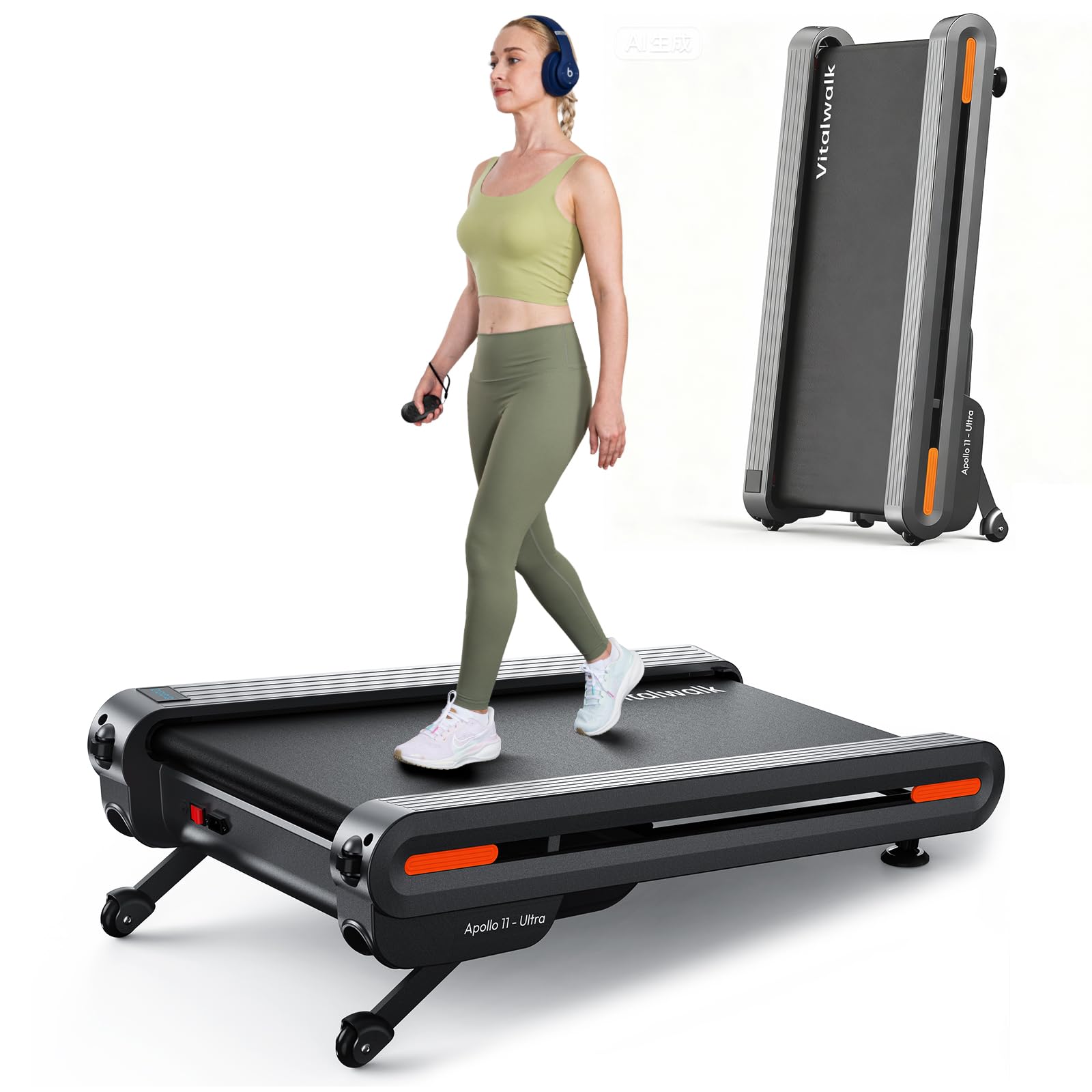
Vitalwalk 12% Auto Incline Walking Pad, 43"x18" Wide Full Deck Under Desk Tre...
$512.99
Check Price on Amazon →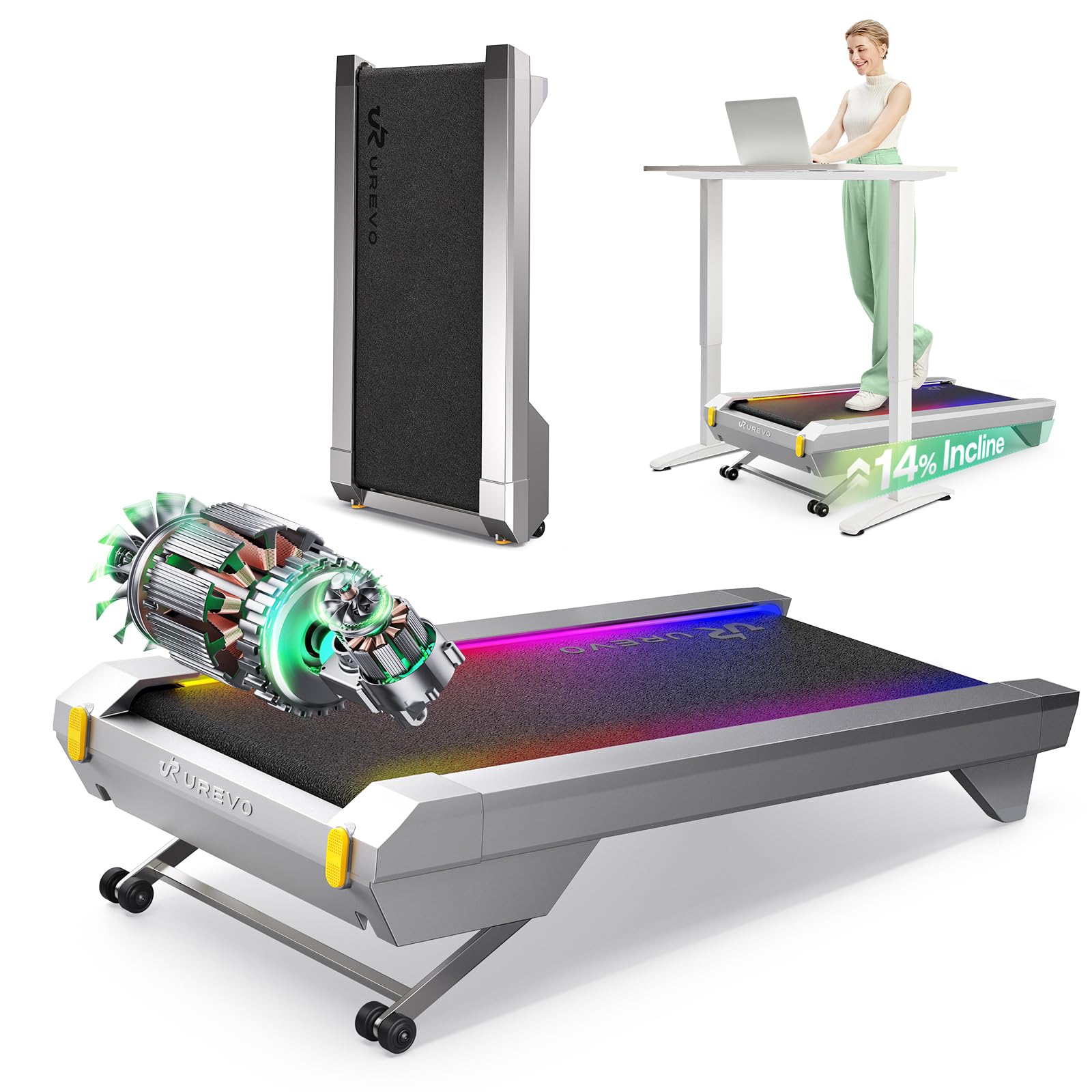
UREVO CyberPad Smart Walking Pad with 14% Auto Incline, Brushless Motorized U...
$479.99
Check Price on Amazon →
PACEROCKER Walking Pad Treadmill with 12% 9-Level Auto Incline, 450 lbs Capac...
$315.00
Check Price on Amazon →Putting it together: the data-to-action hierarchy
The federal data picture for remote workers is not ambiguous. CDC surveillance documents 9.5 daily sedentary hours. BLS data confirms the occupational concentration of that exposure in white-collar remote roles. NIH research establishes cardiovascular and metabolic harm independent of structured exercise. CDC obesity surveillance ties sedentary occupational exposure to the 40% adult obesity prevalence rate. And NIOSH's Total Worker Health framework positions movement integration as primary prevention — which means it belongs in the category of workplace safety, not personal fitness preference.
The appropriate response to that data follows a clear sequence. First, establish behavioral movement habits at no cost: timed breaks, baseline step tracking, corrected workstation ergonomics per OSHA guidance. Second, address any clinical concerns before adding equipment. Third, if ambient walking equipment makes sense for your workflow and workspace, choose a unit with auto-incline capability — because incline activates the posterior chain and increases metabolic benefit without requiring you to walk faster than a typing pace allows. Fourth, calibrate everything to CDC's walking guidance: start at 1.0 to 1.5 mph, build slowly, and remember that walking-pad time complements but does not replace the 150-minute weekly moderate-exercise target.
Remote work stripped away the incidental movement that used to punctuate knowledge-worker days. The equipment discussed here exists to replace it — not to transform you into an athlete at your desk, but to keep your biology from treating a full workday as complete inactivity. That is a modest, evidence-anchored goal, and the federal data says it is worth pursuing.