The Federal Data on Sitting That Your Employer Probably Hasn't Shown You
CDC physical activity surveillance data puts the average American adult at 9.5 hours of sedentary behavior per day — and office workers sit firmly at the top of that range. That number is not a rounding error. Nine and a half hours is more waking time spent sedentary than most people spend sleeping. For the more than 100 million U.S. workers in primarily seated occupations, according to BLS Occupational Employment and Wage Statistics, the workday is the single largest contributor to that daily sedentary load.
The consequences documented in federal research are not abstract. NIH's National Heart, Lung, and Blood Institute has linked prolonged sitting to elevated risk of cardiovascular disease, type 2 diabetes, and all-cause mortality — and critically, those elevated risks hold independent of how much leisure-time exercise you get. In plain terms: the hour you spend at the gym after work does not fully cancel out eight hours of unbroken sitting at a desk. That finding upends a lot of assumptions workers and employers have made about health risk and physical activity.
On the musculoskeletal side, the numbers are equally striking. BLS Survey of Occupational Injuries and Illnesses data shows musculoskeletal disorders account for roughly 30% of all nonfatal occupational injuries with days away from work in U.S. private industry. BLS Workers' Compensation cost data confirms that back-related and shoulder claims sit among the most common and the most expensive office-worker injury categories — meaning these aren't just personal health events; they're a significant direct cost to employers and a lost-income risk to workers.
Why Sitting Breaks Your Body: The Biomechanical and Metabolic Mechanism
Understanding why prolonged sitting causes the damage it does helps workers — and employers — make smarter decisions about interventions. The mechanism operates on two distinct levels: biomechanical and metabolic.
At the biomechanical level, the human spine is not designed for static loading. When you sit for extended periods — especially in the forward-leaning posture most office workers default to — the lumbar discs bear compressive and shear forces that exceed what they experience during normal standing. The hip flexors adaptively shorten, the gluteal muscles progressively disengage, and the thoracic spine rounds forward into kyphosis. NIOSH research on office ergonomics directly links extended uninterrupted sitting to increased low-back discomfort and reduced productivity — a finding that connects body mechanics to work output in the same causal chain.
OSHA's Computer Workstations eTool documents that monitor placement, chair height, and keyboard position are the dominant ergonomic risk factors for office musculoskeletal disorders. Even workers who stand part of the day can accumulate MSD risk if their monitor forces them into neck flexion, or if their keyboard height elevates their shoulders into a sustained shrug. Posture matters in both positions.
At the metabolic level, the mechanism is different but equally well documented. Prolonged sedentary time suppresses lipoprotein lipase activity in the large muscle groups of the legs and trunk — the enzyme primarily responsible for fat metabolism. This suppression is not simply a function of exercise deficit; it is a direct physiological response to muscular inactivity. Extended sitting also impairs insulin sensitivity and elevates inflammatory markers. NIH research underscores that these metabolic effects accumulate even in people who meet the standard exercise guidelines — which is why posture alternation throughout the day, not just an evening workout, is the appropriate countermeasure.
For remote workers specifically, the situation has measurably worsened since 2020. The commute — which provided incidental movement breaks — evaporated. The boundary between "work chair" and "watching TV chair" blurred. NIOSH's Total Worker Health framework recognizes this directly, treating workplace ergonomic interventions as primary prevention rather than post-injury rehabilitation. That framing matters: you don't wait until someone files a workers' comp claim to address sitting risk. You intervene before the damage accumulates.
What the Research Actually Says About Sitting Less
The intervention literature converges on a clear protocol: posture alternation, not posture replacement. The goal is not to stand all day instead of sitting all day. Static standing for eight-plus hours carries its own injury profile — plantar fasciitis, varicose veins, lower-extremity fatigue, and lumbar extension strain. NIOSH guidance, OSHA ergonomics standards, and occupational health literature all point to the same target: cycling between seated, standing, and ideally ambulatory postures, roughly every 30 to 60 minutes.
CDC adult physical activity guidelines call for 150 minutes of moderate aerobic activity per week plus two days of muscle-strengthening — but also specifically recommend frequent breaks from sitting throughout the day. The distinction matters: the 150-minute guideline covers cardiovascular conditioning; the breaks-from-sitting guidance addresses the separate metabolic and musculoskeletal risks of sedentary accumulation. They are complementary, not interchangeable.
Practically, that means an office or remote worker targeting optimal outcomes should aim for roughly 50–50 distribution between sitting and standing across the workday, with brief walking breaks layered in. A standing desk is a tool for achieving that distribution. It is not, by itself, a health intervention — the behavior pattern is the intervention; the desk enables it.
Try These Before You Buy Anything
The cheapest intervention is the one that does not require buying anything. Before any equipment discussion, these are the evidence-backed, cost-free or near-cost-free steps that federal occupational health guidance supports. Getting these right first will also ensure that any equipment you do buy performs as intended.
First, set your current workstation up correctly. OSHA's Computer Workstations eTool specifies elbows at 90 degrees with shoulders relaxed, monitor top at eye level, screen an arm's length away. A height-adjustable desk at the wrong height produces the same cervical and lumbar strain as a fixed desk at the wrong height. Ergonomic calibration comes before equipment purchasing.
Second, implement a sit-stand-walk rotation every 30 to 60 minutes. Set a phone alarm or use a free browser extension. NIOSH office ergonomics guidance is explicit that alternating postures — not eliminating sitting — is the target. You do not need a new desk to start doing this today with your existing setup.
Third, get an anti-fatigue mat and check your footwear before you stand. Hard floors create cumulative stress on feet, knees, and the lumbar spine during standing work. OSHA ergonomics guidance lists cushioned mats and supportive footwear as primary mitigations for standing workers — both of which cost a fraction of new furniture.
Fourth, hit the CDC's 150-minute weekly activity target. CDC physical activity guidance is clear that desk behavior and exercise behavior address different risk pathways. A standing desk does not substitute for aerobic conditioning. It supports one part of the picture while exercise addresses another.
For workers who have already made these adjustments and still find themselves locked into sedentary patterns — whether because their current desk cannot be raised, their posture defaults to slouching in a chair, or their remote setup simply doesn't support alternating positions — equipment becomes a practical next step rather than an avoidance of the real work.
When to See a Clinician Instead of Adjusting Your Workstation
Not every back or neck complaint is an ergonomic problem with an ergonomic solution. Some symptoms require clinical evaluation first. NIH National Institute of Neurological Disorders and Stroke back pain guidance identifies specific presentations that warrant prompt professional attention rather than self-managed ergonomic adjustment.
If your pain radiates down a limb — into the arm or leg — that radiation pattern can indicate nerve root compression that workstation changes will not resolve and may worsen. Similarly, pain accompanied by numbness, tingling, or limb weakness is a neurological flag, not a posture flag. Pain that follows a specific traumatic event (a fall, a sudden movement, lifting incident) needs imaging and clinical workup before ergonomic tinkering. And pain that persists beyond four to six weeks despite genuine ergonomic improvements suggests a pathological driver that a standing desk cannot address.
For office workers who develop headaches radiating from the neck, this can indicate cervicogenic headache — often driven by monitor height and forward-head posture. An occupational medicine physician or physical therapist with ergonomic training can assess whether the cause is mechanical and workstation-addressable or requires other intervention. The NIOSH Total Worker Health framework explicitly supports this kind of integrated evaluation; primary prevention and clinical care are not in competition.
Where Equipment Fits: Products That Support the Alternation Protocol
If your workstation cannot be reconfigured for posture alternation with what you already own, a height-adjustable electric desk is the single most evidence-aligned piece of office furniture you can buy. It is the mechanical enabler of the sit-stand-walk cycle that OSHA, NIOSH, and CDC data all point toward. The selection criteria that follow from that framing are: motor reliability (you will use this dozens of times per week), height range (it must reach your specific standing and seated heights), and stability at standing height (wobble at standing elevation destroys focus and adds neck strain).
Three desks meet those criteria across different budgets and priorities. For workers who are serious about the sit-stand protocol and will use the desk's full programmability, the UPLIFT V2 Standing Desk is the strongest overall pick. UPLIFT's dual-motor system and industry-leading stability at standing height mean the desk does not flex when you type while standing — a problem that erodes the ergonomic benefit of standing work by introducing shoulder and wrist compensation. The V2's programmable memory presets eliminate the friction of manually adjusting height each transition, which research on behavior change consistently shows matters for compliance: the harder the transition, the less often workers actually make it.
For remote workers with environmental priorities or those working in smaller home offices, the Fully Jarvis Bamboo Standing Desk represents the most thoughtfully built eco-conscious option in this segment. Bamboo tops are harder and more dimensionally stable than many MDF-core laminate surfaces, and the Jarvis motor system has earned consistently strong long-term reliability reviews. The lower price point relative to UPLIFT also means the mat and footwear OSHA recommends — costs that are genuinely important to the standing protocol — can be funded without stretching the total ergonomic budget.
For workers who prefer the certainty of a major marketplace retailer, the Vari ComfortEdge 72x30 Electric Standing Desk available on Amazon offers a generous 72-inch surface suited to workers who run multiple monitors or need spread-out physical documents alongside their screens. Vari's commercial-lineage desks have a longer stability history than many direct-to-consumer entrants, and the ComfortEdge's sloped front profile reduces wrist pressure during keyboard use in seated mode — a meaningful ergonomic detail given that OSHA's eTool identifies keyboard placement as a primary MSD risk factor.
Standing Desks Built for the Sit-Stand-Walk Protocol
These three height-adjustable desks were selected specifically for office and remote workers trying to implement the posture-alternation cycle that OSHA, NIOSH, and CDC data all support — prioritizing motor reliability, programmable height memory, and stability at standing elevation.
UPLIFT V2 Standing Desk
$599-$1,299
See Price at UPLIFT →
Fully Jarvis Bamboo Standing Desk
$549-$1,049
See Price at Fully →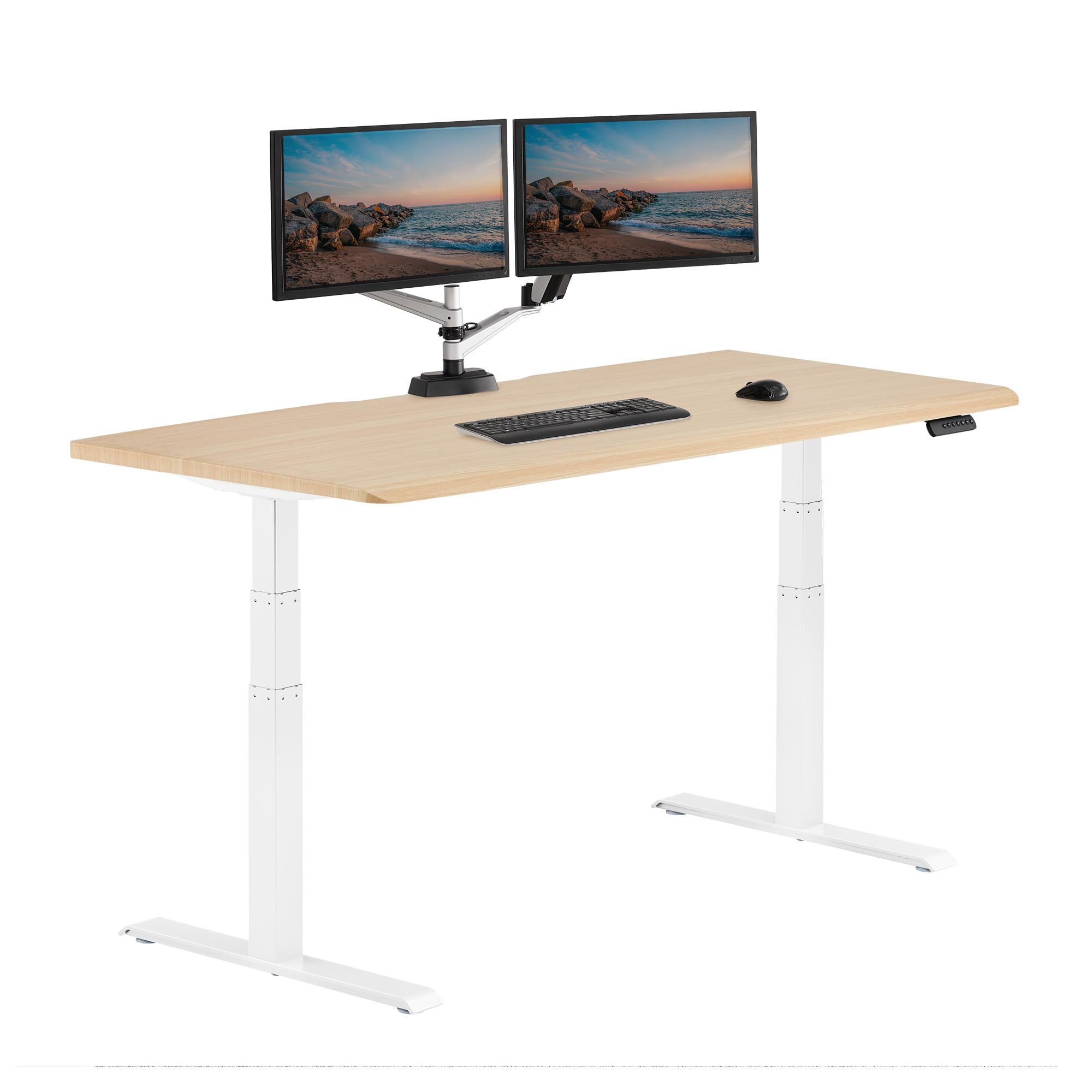
Vari ComfortEdge 72x30 Inch Electric Standing Desk – Height Adjustable Large ...
$999.00
Check Price on Amazon →Making the Investment Work: Behavior Is the Mechanism, Equipment Is the Enabler
Federal occupational health data tells a consistent story: the dose of sedentary time that most office and remote workers accumulate during the workday carries disease risk that exercise alone does not fully offset. CDC surveillance data puts average daily sedentary time at 9.5 hours. NIH research links that load to cardiovascular disease, diabetes, and all-cause mortality. BLS injury data puts musculoskeletal disorders at 30% of all nonfatal occupational injuries with days away from work, with office back and shoulder claims among the costliest categories.
The response those data points support is posture alternation — implemented through workstation calibration, movement breaks, appropriate footwear and flooring, and sustained aerobic activity — with height-adjustable equipment as the physical infrastructure that makes alternation practical across an eight-plus-hour workday. The NIOSH Total Worker Health framework frames this exactly right: ergonomic intervention is primary prevention, not post-injury management.
Get the behavior right. Set the workstation up correctly. Then, if the equipment you have cannot support the protocol, the desks above are the ones built to do it. The research does not support buying a standing desk and standing in it all day. It supports using a standing desk as a posture alternation tool — which means the desk itself is only as valuable as the habit it enables.
For workers dealing with persistent pain despite good ergonomics, the clinical red flags section above applies. A sitting-to-standing desk does not diagnose or treat herniated discs, nerve compression, or inflammatory arthropathy. Federal data frames these products as occupational health tools, not medical devices — and that framing is the honest one.