The Injury Pattern No One Warns Art School Graduates About
You spent years developing your eye, your hand, and your creative instincts. Nobody warned you that the job would also systematically dismantle your lower back, strain your wrists, and compress your cervical spine. According to the BLS Survey of Occupational Injuries and Illnesses, office and administrative support occupations — the broad category that captures designers, illustrators, creative directors, and production artists — report higher-than-average rates of repetitive strain and seated-posture musculoskeletal claims. That is not a coincidence of lifestyle. It is a direct consequence of what sedentary creative work does to a human body over a sustained career.
The CDC's chronic disease surveillance program estimates that approximately 1 in 4 U.S. adults lives with chronic low-back pain, and sedentary occupations are a documented contributor to that statistic. For creative professionals, the equation is more complicated than for a generic office worker because the physical demands of design work are deceptively concentrated. A motion graphics artist may be largely sedentary in terms of whole-body movement, yet their right wrist, forearm, and shoulder absorb thousands of precise micro-movements per day on a stylus tablet or scroll wheel. A UX researcher conducts hours of video interviews in a fixed seated position, cervical spine drifting forward toward the screen. An architect oscillates between a large monitor, a second display, and a drafting tablet, rotating their torso dozens of times an hour in a way that a typical office worker simply does not.
The injury burden is real, measurable, and largely preventable — if you understand the mechanism first.
Why Creative Work Loads the Body Differently
The core problem is the interaction between static load and precision demand. NIOSH ergonomic guidance identifies awkward seated posture as one of the top three exposure factors for office-related musculoskeletal disorders. For designers specifically, awkward posture rarely looks awkward in the moment. You are not lifting a box at a bad angle. You are sitting, apparently comfortably, leaning 10 degrees forward toward a reference image on a secondary monitor, shoulder elevated slightly to reach a tablet pen, head drifted 2 inches anterior to its neutral position. Each of those deviations is small. Accumulated over an eight-hour session — and then repeated across 250 working days per year — they constitute a significant and cumulative biomechanical stress.
The physics are unforgiving. A neutral upright head weighs approximately 10 to 12 pounds. At 15 degrees of forward flexion, the effective load on the cervical spine rises to roughly 27 pounds. At 45 degrees — a common angle for someone reviewing work on a laptop positioned flat on a desk — that load approaches 49 pounds. The lower lumbar spine faces a parallel problem: prolonged seated posture flattens the natural lumbar lordosis, transferring compressive load from the vertebral bodies to the posterior disc structures. OSHA's Ergonomics page explicitly classifies prolonged static seated posture as an ergonomic risk factor requiring workplace mitigation, for precisely this reason.
For creative professionals who also carry body weight above average — and CDC NHANES data shows approximately 39% of U.S. adults have obesity — the lumbar load in a poorly fitted chair is compounded further. Excess body weight concentrates stress on the lumbar discs and facet joints while seated, and it changes the geometry of chair fit: seat pan depth, lumbar support height, and armrest spread all require different calibration than a standard office chair provides off the shelf.
The wrist and hand load pattern is equally specific to creative work. Precision mouse and stylus movements activate the finger flexors and wrist extensors at low but continuous force levels. This is the biomechanical fingerprint of repetitive strain injury — not peak force, but sustained low-level muscle activation with insufficient recovery time. BLS occupational injury data captures this as the elevated repetitive strain rates in office work classifications, and creative professionals sit at the intensive end of that spectrum. A graphic designer using a Wacom tablet for six hours is generating more cumulative wrist extensor load than a data entry operator typing at a standard keyboard, because tablet work combines wrist deviation with sustained isometric grip.
The Financial Case for Taking This Seriously
Employers sometimes treat ergonomic investment as discretionary. The BLS Employer Costs for Workers' Compensation data makes that position difficult to defend: back and neck claims consistently rank among the highest-cost categories in workers' compensation expenditures. For freelance creative professionals who do not have workers' compensation coverage, the calculus is even starker — a repetitive strain injury or a herniated disc treated out of pocket can cost tens of thousands of dollars, and a career interruption in a deadline-driven creative industry has costs that extend well beyond the medical bills.
The intervention hierarchy matters here. The most cost-effective interventions are behavioral and environmental, not product-based. But when behavioral interventions are already in place and symptoms persist, the evidence supports investing in properly engineered seating. NIH's guidance on back pain specifically lists chair fit and lumbar support as a modifiable risk factor for chronic low-back pain in office workers — one of the few product-category recommendations that appears in federal clinical guidance at all.
Try These First — Free Interventions That Outperform Chair Upgrades in the Research Literature
The cheapest intervention is the one that does not require buying anything. Before spending $300 to $1,500 on an ergonomic chair, the federal evidence base is clear that behavioral and environmental adjustments deliver substantial symptom reduction — often more than a chair change alone. NIOSH micro-break research found that 30-second micro-breaks every 30 minutes reduced reported musculoskeletal symptoms in computer users regardless of chair quality. That is a zero-cost intervention with a measurable effect size, and most creative professionals — absorbed in a render, a deadline, a client feedback session — simply do not do it.
Beyond micro-breaks, the OSHA Computer Workstations eTool provides a specific chair-fitting sequence that most workers have never followed. Seat height is calibrated first — feet flat on the floor, knees at approximately 90 degrees — before any other adjustment is made. Seat depth is set so three fingers fit between the back of the knee and the seat edge. Lumbar support height is then matched to the natural curve of the lower back, not left in a factory default position. Armrests are adjusted last, to a height that allows the shoulders to relax downward, not shrug upward. Most ergonomic chairs fail not because of mechanical deficiency but because step one was skipped and every subsequent adjustment was built on a miscalibrated foundation.
Monitor position is a separate variable that chair selection cannot fix. OSHA's workstation guidelines specify the top of the monitor at or slightly below eye level, 20 to 28 inches from the eyes. A designer working on a laptop flat on a desk is looking down at approximately 30 to 45 degrees of neck flexion for hours at a time. A $30 laptop stand and a $25 external keyboard eliminate that neck load entirely — at roughly 1/40th the cost of a new chair. For designers running dual monitors, the primary display should be centered in front of the body, with the secondary monitor to the side at the same height, to minimize sustained cervical rotation.
Finally, daily thoracic mobility and hip flexor work address the postural deformation that sedentary creative work produces and that no chair fully prevents. CDC physical activity guidelines for adults support regular movement as part of chronic disease prevention, and the application to occupational musculoskeletal health is direct: two minutes of thoracic extension over a foam roller and two sets of 30-second hip flexor stretches per side will undo more of the postural shortening from a day of seated design work than any passive lumbar support can.
If you have worked through the above — you are taking micro-breaks, your monitor is at eye level, your chair is correctly fitted to your body, and you are doing basic daily mobility work — and you still have persistent back or wrist discomfort during or after creative sessions, then the equipment question becomes legitimate. Some readers will also be starting from a chair that is genuinely inadequate: a kitchen chair repurposed for a home office, a guest room seat that offers no lumbar adjustment, or a mid-tier task chair whose lumbar mechanism failed two years ago and was never replaced. For those readers, the product tier below represents the evidence-based upgrade path.
When to See a Clinician
Ergonomic seating and behavioral interventions address risk factors for musculoskeletal disorders. They do not treat established injuries, and they are not a substitute for medical evaluation when red flags are present. NIH guidance from the National Institute of Neurological Disorders and Stroke is unambiguous on this point: a new chair does not treat radicular symptoms. If your back pain radiates down one or both legs, if you experience numbness or tingling in the hands or feet, if you notice weakness in your grip or difficulty with fine motor control, or if pain wakes you at night or is unrelenting even at rest, those are clinical red flags that require physician evaluation — not a chair upgrade.
For creative professionals specifically, the wrist and hand symptoms that accompany precision stylus or mouse work can progress from nuisance to career-threatening injury if mismanaged. Carpal tunnel syndrome, cubital tunnel syndrome, and de Quervain's tenosynovitis each have specific clinical presentations that overlap with general wrist fatigue but require distinct treatment protocols. Self-treating with wrist rests and ergonomic mice is appropriate for prevention; it is not appropriate when you have persistent pain, night symptoms, or functional loss. A physiatrist, occupational therapist, or orthopedic hand specialist can distinguish between occupational strain that responds to ergonomic modification and structural pathology that requires intervention.
Where Products Help — and the Evidence Basis for These Specific Picks
For creative professionals whose workstations are otherwise correctly configured, the chair functions as a lumbar support delivery system — the mechanism by which you maintain a functional seated spinal curve for extended periods without continuous muscular effort. OSHA's Computer Workstations eTool identifies lumbar support position, seat height, seat-pan depth, and armrest height as the primary chair variables for neutral seated posture. The chairs recommended here perform well on all four of those OSHA variables, with mechanical adjustment ranges that cover the body diversity of the creative workforce.
The Steelcase Leap V2 is the direct recommendation for most creative professionals who spend long sessions at a single primary workstation. Steelcase engineers the Leap V2 with a flexible lower back mechanism that follows the movement of the spine rather than holding it in a single position — a significant distinction for creative workers who move through multiple postures during a session (upright for focused production work, slightly reclined for client video calls, forward for detail work on a tablet). The lumbar support is adjustable in both height and firmness, and the seat pan adjusts independently to accommodate the range of leg lengths that a diverse creative team presents. At $1,189, this is an investment, but one that BLS workers' compensation cost data makes financially rational for any studio operating at professional scale.
The Herman Miller Aeron Ergonomic Chair (Size B) is the canonical ergonomic chair recommendation for a reason: its PostureFit SL sacral and lumbar support system addresses both the sacral tilt and the lumbar curve simultaneously, which is particularly relevant for designers who spend extended periods in forward-leaning postures over a drawing tablet. The 8Z Pellicle mesh distributes body weight and dissipates heat more effectively than foam-padded surfaces — a meaningful quality-of-life factor during eight-hour production sessions. Size B fits the widest range of body dimensions and is the appropriate default if you are uncertain which size applies to you. It is available through Amazon at $1,499.99, making it the premium tier in this comparison.
For creative professionals working from home offices on tighter budgets, the ELABEST X100 Ergonomic Mesh Chair with Footrest at $319.99 provides the core OSHA-specified adjustment variables — seat height, lumbar support position, armrest height — in a breathable mesh format. The included footrest is a useful feature for shorter users who cannot achieve a proper foot-flat position on the floor with a desk at standard height. This chair will not match the mechanical sophistication of the Leap V2 or Aeron, but for a designer transitioning from a non-adjustable kitchen chair or a basic task chair with a failed lumbar mechanism, it represents a substantial evidence-based upgrade at a fraction of the cost.
Ergonomic Chairs for Long-Session Creative Work, Ranked by Adjustment Quality
These three chairs were selected because they meet or exceed the OSHA Computer Workstations eTool criteria for lumbar support, seat height, seat-pan depth, and armrest adjustability — the four variables that federal guidance identifies as determinative for neutral seated posture in office workers.
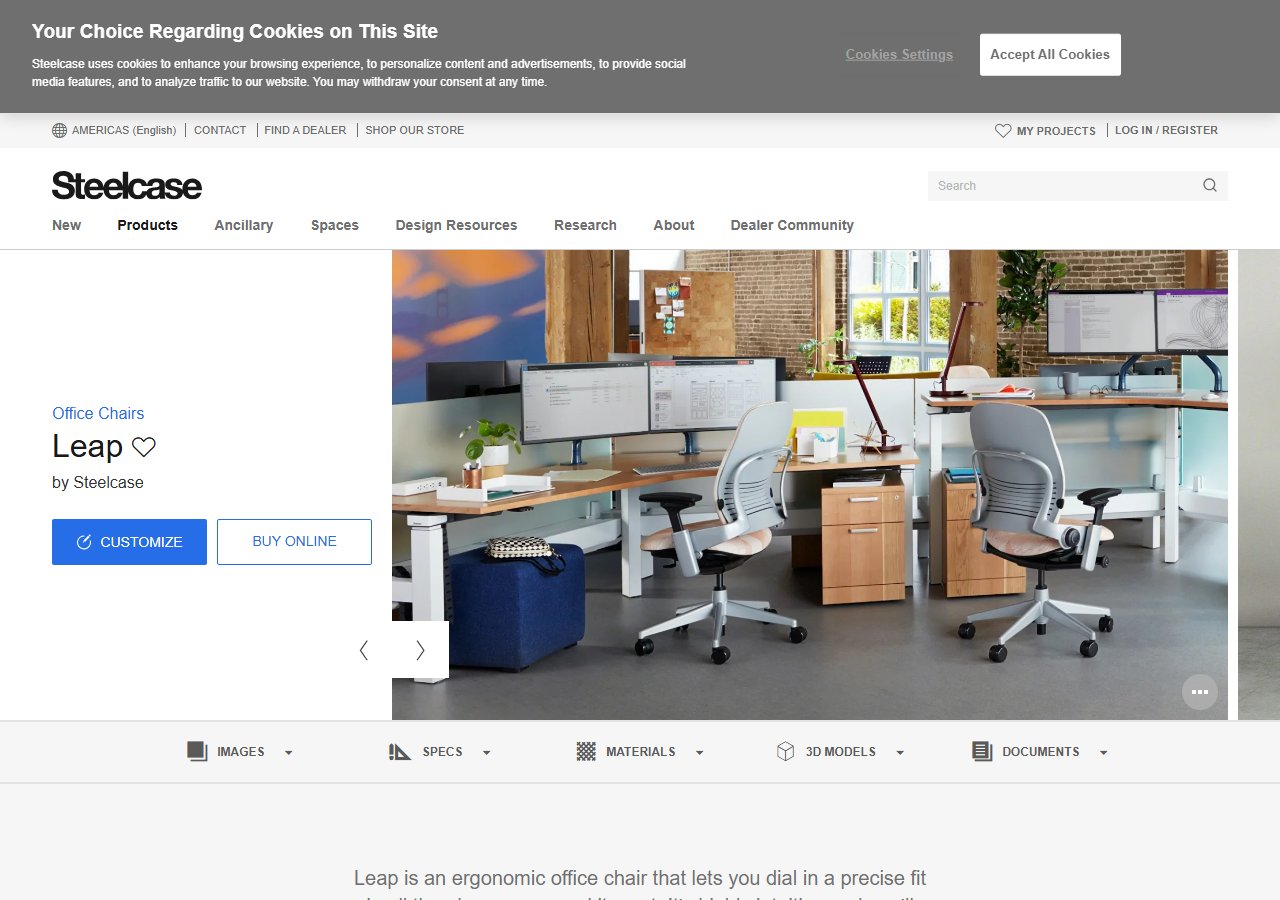
Steelcase Leap V2 Office Chair
$1,189
See Price at Steelcase →
Herman Miller Aeron Ergonomic Chair - Size B, Graphite Size B Graphite
$1,499.99
Check Price on Amazon →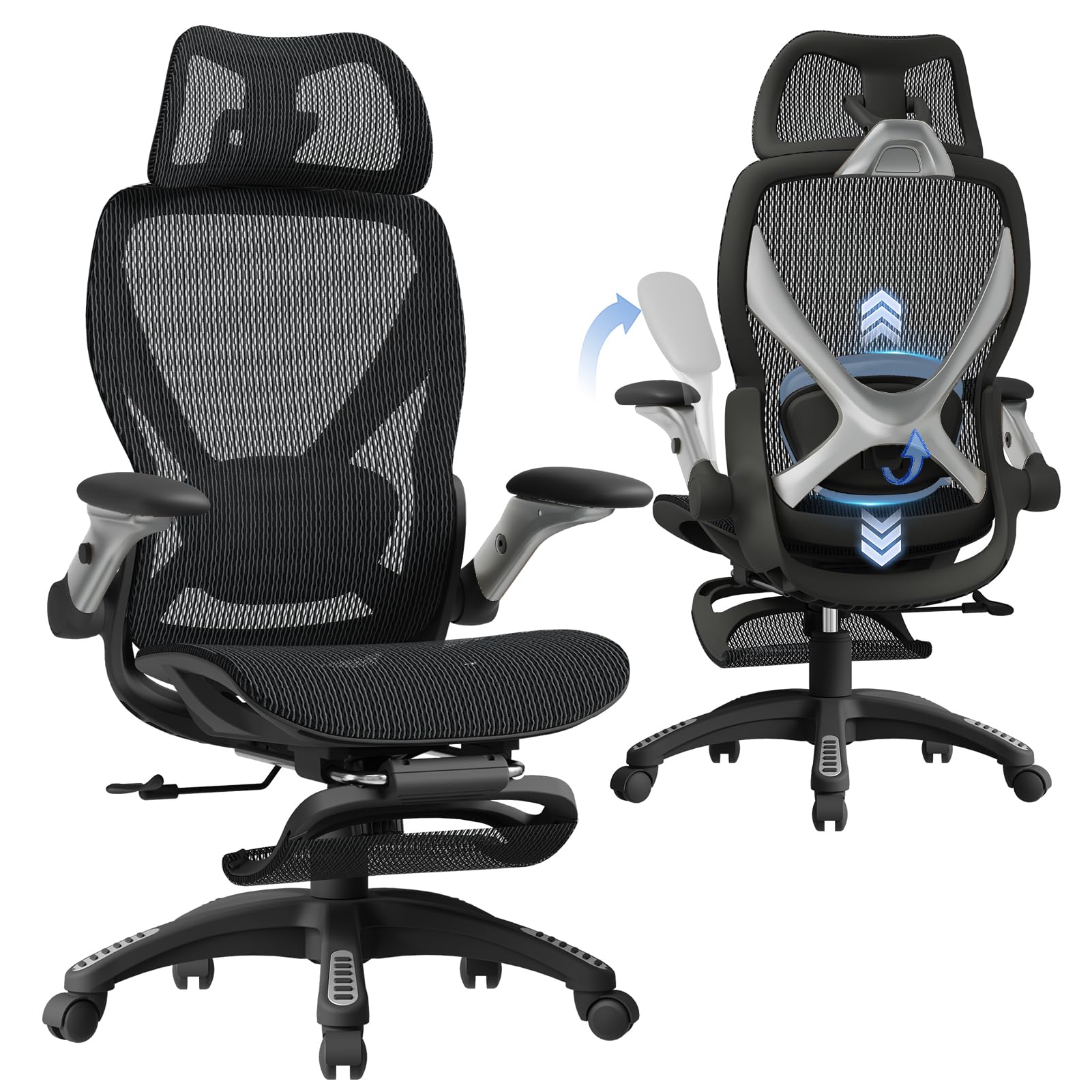
ELABEST X100 Ergonomic Mesh Office Chair with Footrest, Big and Tall Hone Des...
$319.99
Check Price on Amazon →What the Federal Evidence Actually Tells Creative Professionals to Do
The federal data on sedentary creative work converges on a clear hierarchy. NIOSH and OSHA consistently place behavioral interventions — micro-breaks, workstation configuration, posture awareness — ahead of equipment upgrades in the prevention hierarchy. NIH's back pain guidance is specific that lumbar support is a modifiable risk factor, not a cure. And BLS injury data confirms that the injury risk in office-class occupations is real, elevated, and concentrated in exactly the repetitive, precision-demand, long-duration seated work that defines a creative career.
The practical implication is a tiered action plan. Start with the free interventions: set a 30-minute micro-break timer today, refit your existing chair using the OSHA four-step sequence, raise your monitor to eye level, and add two minutes of thoracic mobility work to your morning routine. Track your symptoms over four weeks. If persistent discomfort remains after that baseline optimization, evaluate your seating — not by brand recognition, but by the OSHA criteria: does this chair allow you to sit with feet flat, knees at 90 degrees, three-finger clearance behind the knee, lumbar support at the natural curve height, and shoulders relaxed over supported forearms? If the answer is no, the chairs in this article represent the range of options that meet those criteria across different budget levels and body types.
And if your symptoms include radiation, numbness, weakness, or night pain, close the browser and call a clinician. No chair, at any price, is the right first response to those signals.