The data on engineers and back pain isn't subtle
If you write code, run simulations, or manage a multi-monitor engineering workflow for a living, you are statistically likely to develop chronic low-back pain. That is not conjecture — it is what the federal data shows. The CDC's Chronic Disease Indicators surveillance system documents that approximately 1 in 4 U.S. adults has chronic low-back pain, with sedentary occupations explicitly listed as a contributing factor. Engineers, developers, technical analysts, and architects-in-front-of-screens fit that profile as precisely as any occupation in the American workforce.
The BLS Survey of Occupational Injuries and Illnesses reinforces the picture: office and administrative support occupations — the closest BLS proxy for desk-bound technical workers — report higher-than-average rates of repetitive strain and seated-posture musculoskeletal claims compared to the overall private-sector workforce. And OSHA's Ergonomics page does not hedge: prolonged static seated posture is named an ergonomic risk factor that requires active workplace mitigation, not passive tolerance.
This article is not a chair review. It is an evidence-based analysis of why sustained sitting in a multi-monitor engineering environment produces a specific, predictable injury pattern — and what the federal occupational health literature says to do about it, in the right order: mechanism first, free interventions second, clinical red flags third, and seating hardware last.
Why this happens: the biomechanics of sustained technical work
The engineering workstation creates a distinct biomechanical problem that general office ergonomics guidance only partially addresses. Understanding the mechanism matters because it determines which interventions are actually relevant to you.
The lumbar loading problem. When you sit upright at 90 degrees, lumbar disc pressure is already higher than when you stand. When you lean forward — as virtually every engineer does when reading code, reviewing a CAD model, or debugging output on a screen that is too far away or too low — lumbar disc compression increases further. NIOSH ergonomic guidance identifies this awkward seated posture as one of the top three exposure factors for office-related musculoskeletal disorders. The mechanism is cumulative: 30 minutes of forward lean is forgettable; eight hours across 200 working days per year is a clinical pattern.
The multi-monitor geometry problem. A single-monitor setup creates one neck-and-eye focal challenge. Engineers commonly use two to four monitors, arranged in configurations that require sustained cervical rotation (turning the head left or right), sustained cervical flexion (looking down at a laptop used as a secondary screen), or asymmetric shoulder loading when one arm reaches across to a peripheral monitor's mouse. OSHA's Computer Workstations eTool specifies that the top of the monitor should sit at or slightly below eye level, 20 to 28 inches from the eyes. A second monitor placed to the side at the wrong height introduces both lateral cervical strain and thoracic rotation asymmetry simultaneously — a compounding risk that a chair upgrade alone cannot resolve.
The hip flexor and thoracic extension problem. Sustained sitting in hip flexion shortens the iliopsoas and rectus femoris. Shortened hip flexors tilt the pelvis anteriorly, which flattens or exaggerates the lumbar curve depending on the individual. Either pattern increases compressive load on lumbar discs and facet joints. Simultaneously, the thoracic spine rounds as the head migrates forward toward the screen. Over months and years, these are not just postural habits — they become structural adaptations. No lumbar support device reverses a structurally shortened hip flexor. That requires movement.
The body-weight amplifier. CDC NHANES data shows approximately 39% of U.S. adults have obesity, and excess body weight meaningfully increases lumbar disc load in any seated position. For engineers in this population, a chair with inadequate lumbar support or seat-pan depth is not just uncomfortable — it is a daily mechanical stressor on a spine that is already under above-average compressive load. This is why NIH's guidance on back pain lists chair fit and lumbar support as a modifiable risk factor worthy of direct intervention, not just ergonomic decoration.
The workers' compensation economic argument. Employers sometimes need a financial frame. BLS workers' compensation data categorizes back and neck claims as among the highest-cost categories in the entire compensation system. An ergonomic chair that costs $1,200 and prevents a single lumbar injury claim is, by almost any accounting, a positive return on investment. That data point belongs in every engineer's conversation with their facilities or IT procurement team.
Try these first: the interventions that don't require buying anything
The cheapest intervention is the one that does not require buying anything. Federal occupational health research is consistent on this point: behavioral and postural modifications reduce musculoskeletal symptom burden in computer-using populations, and they are the appropriate first-line response before any hardware investment. If you have not systematically tried the following interventions, you do not yet have enough information to know whether a new chair will help you.
Start with monitor positioning before chair height. Most engineers set up their workstation by adjusting the chair height to feel comfortable, then never revisit the monitor. OSHA's Computer Workstations eTool specifies the opposite sequence: place monitors so the top of the screen is at or slightly below eye level, 20 to 28 inches away, then set chair height to achieve feet flat on the floor. A laptop stand and external keyboard — costing under $60 combined — often eliminate the cervical flexion that drives neck and upper-back pain, without touching the chair at all.
Next, apply OSHA's four-step chair-fit sequence: seat height first (feet flat, knees at approximately 90 degrees), then seat depth (roughly three finger-widths of clearance between the seat edge and the back of your knee), then lumbar support height adjusted to sit in your natural lumbar curve, then armrests raised to support relaxed shoulders without elevating them. Most engineers skip step one and wonder why their expensive chair still causes back pain. The sequence matters because each adjustment downstream depends on the one before it.
Add daily thoracic mobility and hip flexor stretching. Two minutes of thoracic extensions over a foam roller or chair back, plus 30-second hip flexor stretches per side, address the structural adaptations that accumulate from sustained sitting. CDC physical activity guidance supports daily mobility work as part of a general health regimen, and the biomechanical rationale is direct: no lumbar support device can lengthen a shortened hip flexor.
Finally, implement micro-breaks with discipline. NIOSH research on computer-using populations shows that 30-second breaks every 30 minutes reduce reported musculoskeletal symptoms more reliably than chair upgrades alone. Set a timer. Stand, walk to the kitchen, do a standing hip flexor stretch. Engineers are good at systems — make this one a background process.
If you have been consistent with monitor positioning, the OSHA chair-fit sequence, daily mobility work, and micro-breaks for four to six weeks and still have significant pain during or after your workday, then you are in the population for whom seating hardware provides meaningful incremental benefit. The research does not say chairs do not matter — it says behavioral interventions come first and provide independent benefit. The combination of good habits and good equipment outperforms either alone.
When to see a clinician
A chair recommendation is not a medical recommendation, and no product in this article treats clinical pathology. NIH guidance on back pain is unambiguous: several symptom patterns require medical evaluation before any ergonomic intervention, because they indicate conditions that ergonomic adjustments can neither diagnose nor treat.
Engineers tend to be high-tolerance problem-solvers who delay medical evaluation, attributing worsening pain to workload or posture. That tendency is worth overriding when the following red flags appear. Back and neck pain that includes radiation down an arm or leg, numbness, tingling, or weakness in an extremity may indicate nerve root compression or disc herniation that requires imaging and clinical management. Pain that wakes you from sleep — rather than correlating with sitting duration — suggests a pain generator that is not postural. Bowel or bladder changes with back pain are a medical emergency. New back pain in an individual over 50 with a history of cancer warrants prompt evaluation. None of these scenarios are solved by a better lumbar support.
Where seating hardware actually helps
For the engineer who has done the behavioral work and still has significant seated discomfort — or who is setting up a new workstation and wants to build the right foundation from the start — seating hardware provides real, measurable benefit. The mechanism is not magic: a well-engineered chair maintains the lumbar curve passively, reduces moment arm at the hip, and distributes body weight across the seat pan in a way that reduces pressure at any single point. For extended sessions of six to ten hours, the cumulative difference between a chair that does these things and one that does not is substantial.
Here is how to think about the three options at different price and configuration points.
The Steelcase Leap V2 is the chair that gets recommended by occupational therapists and corporate ergonomists when the Aeron is unavailable or doesn't fit the user's body. The Steelcase Leap V2 at $1,189 is engineered around what Steelcase calls LiveBack technology — a flexible back that mimics the shape changes of the human spine during movement, rather than holding a fixed lumbar position. For engineers who shift position frequently during long sessions (leaning forward to review code, leaning back to think, pivoting to reference a secondary monitor), this dynamic support is meaningfully different from a static lumbar pad. The Leap V2 also has a lower back firmness adjustment and an upper back force control, which allows individual tuning that matters when you are 5'4" and 130 lbs versus 6'2" and 220 lbs. Given that CDC NHANES documents a wide range of body weights across the U.S. adult population, chairs with genuine individual adjustment capability are not a luxury — they are a functional requirement for population-level fit.
The Herman Miller Aeron is the reference-standard ergonomic chair in engineering and technical workplace culture, and the Herman Miller Aeron Ergonomic Chair - Size B at $1,499.99 justifies its reputation with genuine engineering. The PostureFit SL lumbar system supports both the sacrum and the lumbar spine independently, which is relevant to the OSHA-specified requirement for proper lumbar support that matches the natural spinal curve. The 8Z Pellicle mesh distributes pressure across the seat and back in a way that matters on hour seven of a debug session more than it does on hour one. The Aeron comes in three sizes (A, B, and C) — Size B fits the widest range of bodies and is the most commonly appropriate choice for engineers of average to slightly above-average height and build. If you have tried the Leap V2 and found the back too flexible, or if you run warm and need airflow through mesh, the Aeron is a legitimate alternative, not a downgrade.
The ELABEST X100 at $319.99 is the practical entry point for engineers who cannot or will not spend $1,200 on a chair — a valid position. The ELABEST X100 Ergonomic Mesh Office Chair includes a footrest, adjustable lumbar support, and mesh back at a price point that allows most home-office workers to justify the purchase without an employer reimbursement conversation. It will not perform across a ten-hour session the way the Leap V2 or Aeron does, and its adjustment range is narrower. But for engineers earlier in their careers, working shorter sessions, or testing whether a better chair actually moves the needle before committing to a four-figure purchase, it is a reasonable functional choice. Pair it with rigorous application of the OSHA chair-fit sequence and the micro-break protocol, and it will outperform a $1,200 chair that no one has properly adjusted.
Ergonomic Chairs Built for Engineering-Level Seated Workloads
These three chairs were selected for engineers and technical workers who log 6–10 hour seated sessions at multi-monitor workstations, evaluated against OSHA's lumbar support and seat-fit criteria and the CDC-documented body-weight range of the U.S. adult population.
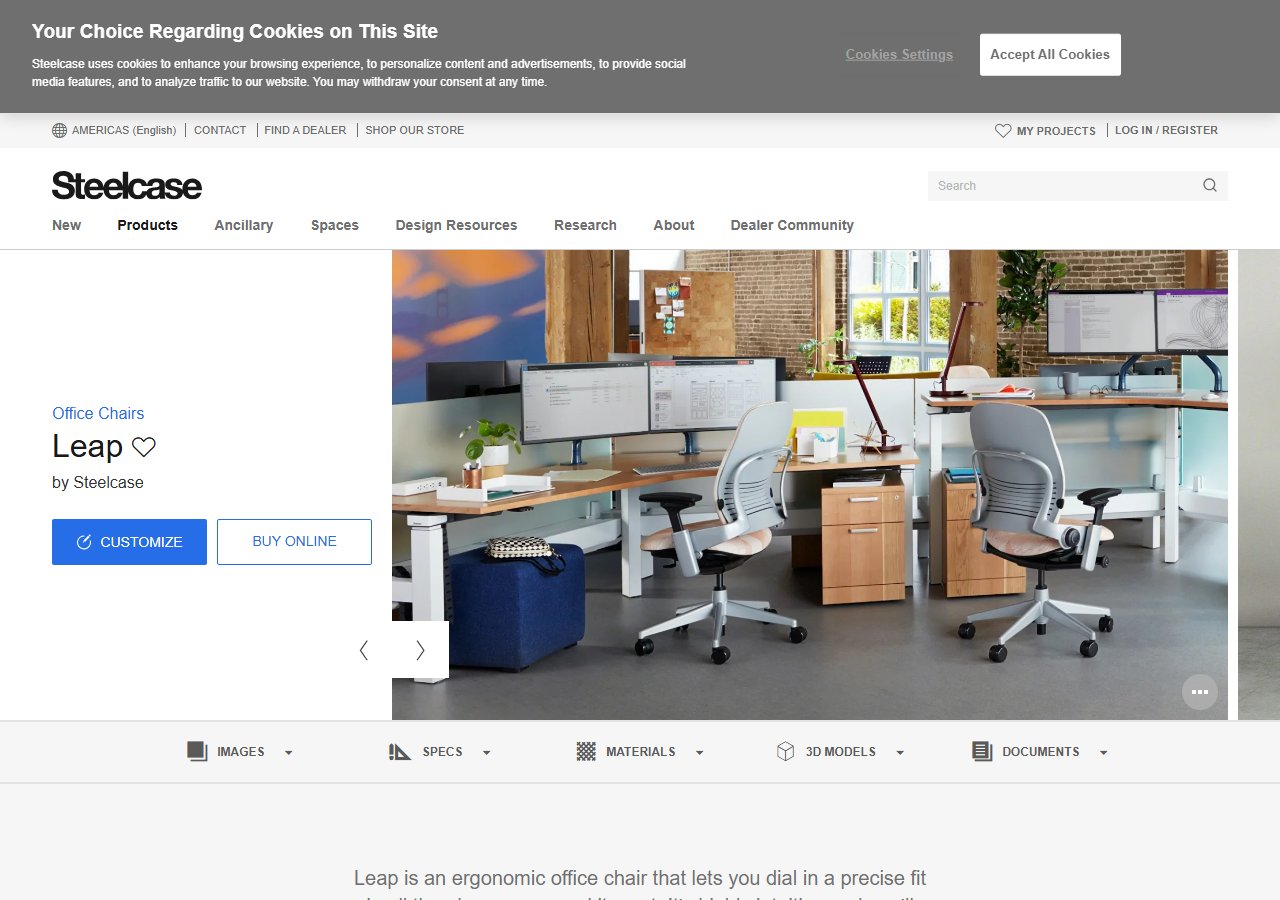
Steelcase Leap V2 Office Chair
$1,189
See Price at Steelcase →
Herman Miller Aeron Ergonomic Chair - Size B, Graphite Size B Graphite
$1,499.99
Check Price on Amazon →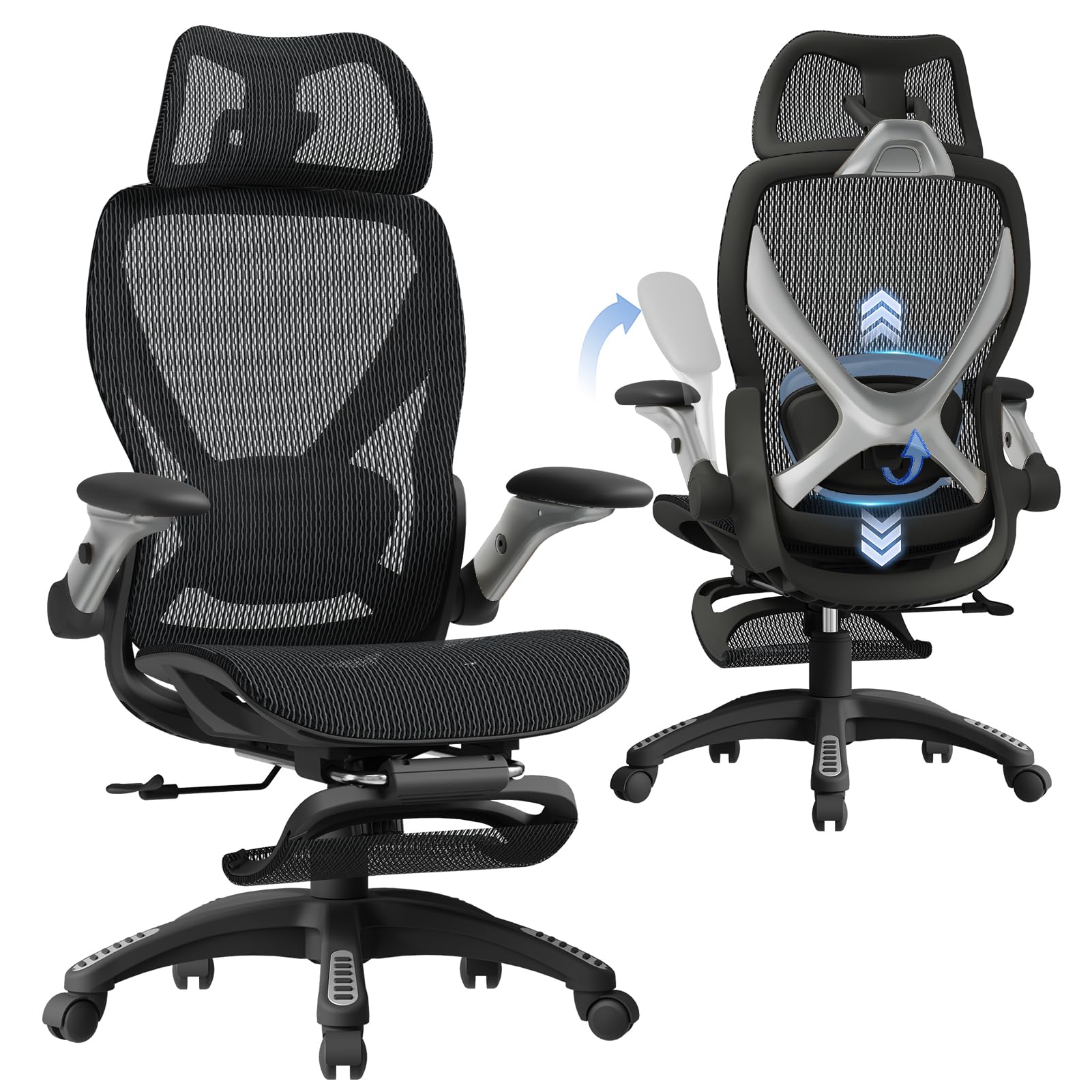
ELABEST X100 Ergonomic Mesh Office Chair with Footrest, Big and Tall Hone Des...
$319.99
Check Price on Amazon →The right hierarchy: mechanism, behavior, clinical judgment, then hardware
The federal data on seated technical workers produces a clear, ordered recommendation. The CDC documents the population-level burden of chronic low-back pain in sedentary workers. NIOSH identifies the postural exposure factors. OSHA specifies the workstation configuration variables. NIH names chair fit as a modifiable risk factor and names several red flags that require clinical care instead of an equipment purchase.
The hierarchy that emerges from that data is: understand the mechanism, apply the free behavioral interventions consistently, rule out clinical pathology, and then — if you are still symptomatic after doing all of that — invest in seating hardware that addresses the specific gaps in your current setup. Engineers are well-suited to this approach. It is systematic, evidence-anchored, and resists the impulse to buy a solution before diagnosing the problem.
A chair is a tool. The Steelcase Leap V2 is an excellent tool for someone whose lumbar curve needs dynamic support across long sessions. The Herman Miller Aeron is an excellent tool for someone who runs warm, needs size-specific fit, and wants the market's most validated lumbar system. The ELABEST X100 is an adequate tool for someone who needs a functional starting point at a fraction of the cost. None of them replace the monitor adjustment, the hip flexor stretch, the micro-break timer, or the clinician visit when symptoms warrant one.
Do the work in order, and use the data to guide each decision.