The data behind your back pain is not ambiguous
If you spend most of your workday in a chair and your lower back aches by mid-afternoon, you are not imagining a pattern — you are experiencing one that Bureau of Labor Statistics occupational injury surveillance has documented for years. Office and administrative support workers report higher-than-average rates of repetitive strain and seated-posture musculoskeletal claims, according to BLS Survey of Occupational Injuries and Illnesses data. This is not a desk-worker personality quirk. It is a documented occupational hazard with a measurable cost: BLS Employer Costs for Workers' Compensation consistently places back and neck claims among the highest-cost injury categories across all industries.
The broader population picture makes the occupational risk harder to dismiss. CDC Chronic Disease Indicators surveillance reports that approximately 1 in 4 U.S. adults lives with chronic low-back pain, with sedentary occupations listed as a documented contributing factor — not a coincidence, a cause. And CDC NHANES data finds that roughly 39% of U.S. adults have obesity, a condition that meaningfully increases lumbar compressive load during prolonged sitting and raises the minimum performance bar for any chair's lumbar support system.
This article is not a product review dressed up in federal statistics. It is a structured look at what the evidence — from OSHA, NIOSH, NIH, BLS, and CDC — actually says about why office workers' backs fail, what free or low-cost interventions address the root mechanism, when a clinician is the right next step, and where a properly selected ergonomic chair fits into that hierarchy.
Why this happens: the biomechanics of sedentary work
The lumbar spine is designed to move. It tolerates static compressive load poorly, and it tolerates static compressive load in a flexed position even worse. When you sit at a desk, especially in the forward-leaning posture that monitor height and keyboard placement tend to produce, the lumbar lordosis (the natural inward curve of the lower back) tends to flatten or reverse. This shifts load from the vertebral bodies onto the posterior disc and facet joints — structures that are mechanically disadvantaged for sustained compression.
OSHA's Ergonomics page is explicit: prolonged static seated posture is a recognized ergonomic risk factor that requires workplace mitigation. This is not a fringe position. It is federal occupational safety guidance. NIOSH ergonomic surveillance identifies awkward seated posture as one of the top three exposure factors for office-related musculoskeletal disorders — sitting alongside force and repetition in a framework that NIOSH uses to assess occupational injury risk.
The mechanism compounds over a full workday in ways that feel gradual but accumulate meaningfully. Prolonged hip flexion shortens the iliopsoas and rectus femoris, which tilt the pelvis anteriorly and amplify lumbar load. Thoracic flexion — the rounded-upper-back posture most laptop users default to — shifts the head forward of the center of gravity, adding roughly 10 pounds of effective cervical load for every inch of forward head translation. By the time most office workers feel discomfort, they have spent hours in a posture that biomechanics research would categorize as a sustained awkward load.
For office workers who are also managing obesity, the compressive load profile is materially worse. CDC NHANES surveillance documents that obesity affects 39% of U.S. adults — and in the context of seated work, that translates directly to increased intradiscal pressure and greater demand on lumbar support structures. This is a population for whom chair lumbar support quality is not a luxury specification; it is a functional requirement.
NIH guidance from the National Institute of Arthritis and Musculoskeletal and Skin Diseases reinforces this framing by listing chair fit and lumbar support as modifiable risk factors for chronic low-back pain in office workers — meaning these are variables you can actually change, unlike genetic predisposition or disc morphology.
The problem with how most people think about this
Most office workers approach back pain as a product problem. They believe the right chair will solve it. Some employers believe the same thing, which is why ergonomic chair procurement decisions are often made by purchasing departments rather than occupational health professionals.
The evidence does not support that framing. NIOSH micro-break research shows that 30-second breaks every 30 minutes reduce reported musculoskeletal symptoms in computer-using populations more reliably than chair upgrades alone. A chair change without a movement pattern change is a partial solution at best. OSHA's Computer Workstations eTool does not recommend buying a new chair as the first step — it recommends fitting the existing chair correctly, in a specific sequence, before any other intervention.
The cheapest effective intervention is the one that requires no purchase at all. Before this article reaches product recommendations, it covers the behavioral and ergonomic interventions that federal occupational health agencies actually prioritize. If you skip this section, you will likely spend money solving the wrong problem.
Try these first: OSHA- and NIOSH-backed interventions
The following interventions are drawn directly from OSHA, NIOSH, CDC, and NIH guidance. They are sequenced in the order that federal occupational health agencies would recommend them.
First: fit the chair you already have, in the OSHA-specified sequence. OSHA's Computer Workstations eTool specifies four primary chair variables in a fixed order: seat height first (feet flat on the floor, knees at approximately 90 degrees), then seat depth (two to three finger-widths between the seat edge and the back of the knee), then lumbar support height (aligned with the natural inward curve of the lower back), then armrests (supporting relaxed, not elevated, shoulders). Most office workers have never completed this sequence. Many who report chair-related back pain are sitting in a chair that, if adjusted correctly, would perform adequately. Step 1 is almost universally skipped.
Second: address monitor height separately from chair height. OSHA's Computer Workstations eTool specifies the top of the monitor at or slightly below eye level, 20 to 28 inches from the face. Laptop users who place the laptop directly on the desk are looking downward at a 30- to 45-degree angle for hours. The resulting cervical and thoracic load is not solvable with a chair upgrade — it requires a monitor riser or external display plus a separate keyboard. This combination costs less than $80 and addresses a primary driver of upper-back and neck pain that chairs cannot touch.
Third: add daily thoracic mobility and hip flexor work. CDC Adult Physical Activity Guidelines support daily movement as a musculoskeletal health intervention. Specifically, two minutes of thoracic extensions over a foam roller or chair back, combined with 30-second hip flexor stretches per side, directly counteract the postural pattern that prolonged sitting produces. No chair — at any price point — eliminates the hip flexor shortening that accumulates over eight hours of sitting. Daily stretching does.
Fourth: implement NIOSH-validated micro-breaks. NIOSH Office Ergonomics guidance documents that 30-second breaks every 30 minutes reduce musculoskeletal symptoms in computer users. This is one of the most evidence-dense, cost-free interventions available to desk workers. A free phone timer or a browser extension that prompts standing every 30 minutes costs nothing and produces measurable symptom reduction. The mechanism is straightforward: brief interruption of static load allows disc tissue to redistribute compressive stress and muscle tissue to restore circulation.
Some readers will have already tried the above — and correctly set up their existing chair, addressed monitor height, added daily mobility work, and implemented micro-breaks — and still experience significant lumbar discomfort during and after the workday. For those readers, the chair itself becomes the relevant variable. Before moving to products, though, one clinical detour is necessary.
When to see a clinician: red flags that a chair cannot address
NIH guidance from the National Institute of Neurological Disorders and Stroke is unambiguous on this point: pain that radiates down the leg, is accompanied by numbness or tingling, involves lower-extremity weakness, or is associated with bowel or bladder changes is not a seated-posture problem. It is a neurological red flag that requires medical evaluation. No ergonomic chair treats radicular symptoms. Purchasing one in the presence of these symptoms delays appropriate care.
Similarly, back pain that wakes you from sleep, that is constant rather than positional, or that has been worsening progressively over weeks without any mechanical trigger warrants clinical evaluation before any ergonomic intervention. CDC Chronic Disease Indicators surveillance documents that a meaningful proportion of chronic low-back pain cases involve underlying pathology — including inflammatory arthritis, disc herniation with nerve involvement, and, rarely, malignancy — that requires diagnosis rather than ergonomic adjustment. The population of office workers with pure postural back pain is large. The population with unrecognized underlying pathology is small but real, and the cost of missing it is high.
For office workers who have been seen by a clinician, received a musculoskeletal or postural diagnosis, and been cleared for conservative management, ergonomic seating is an appropriate and evidence-supported intervention. NIH NIAMS guidance explicitly lists chair fit as a modifiable risk factor — meaning it belongs in a conservative management plan, not as a substitute for one.
Where products help: selecting an ergonomic chair that matches federal criteria
With mechanism understood, free interventions applied, and clinical flags ruled out, ergonomic chair selection becomes a rational exercise in matching chair specifications to the variables OSHA's Computer Workstations eTool identifies as primary: seat height range, seat depth adjustability, lumbar support adjustability (height and depth, not just a fixed foam bump), armrest positioning (height, width, and ideally pivot), and seat pan material that does not create pressure points under sustained load.
Every chair in this article's curated list was evaluated against those OSHA-specified criteria, not against marketing copy. The chairs that survive that filter are the ones worth discussing.
The Steelcase Leap V2 is the highest-evidence chair in this list for pure lumbar support engineering. Steelcase's LiveBack technology dynamically adjusts the backrest shape as the user moves — meaning it does not hold a fixed lumbar position but instead follows the spine's actual movement pattern throughout the day. For office workers who shift posture frequently (which is biomechanically preferable to any single fixed posture), this matters more than a static lumbar pad. The Leap V2 also offers the most granular seat depth adjustment in this class, which directly addresses the OSHA seat-depth criterion that most chairs satisfy only partially. At $1,189, it is a significant investment, but it is the chair that occupational therapists and ergonomic consultants most frequently specify when they are making evidence-based recommendations rather than brand-preference recommendations.
The Herman Miller Aeron (Size B) is the most widely recognized ergonomic chair in the U.S. office market and earns that recognition through genuine engineering. The 8Z Pellicle suspension mesh distributes pressure across the seat and back without the heat and pressure-point problems of foam, which matters for full-day wear. The PostureFit SL sacral-lumbar support system addresses both the sacral and lumbar regions simultaneously — a meaningful distinction from chairs that only support the mid-lumbar. The Aeron is available in three sizes (A, B, C), and selecting the correct size is non-negotiable: a size-A Aeron on a larger frame will fail on the seat-depth criterion before the user even sits down. At $1,499.99 for the Size B, it is priced above the Leap V2 but available through Amazon for readers who prefer that purchasing channel.
For readers whose budget does not extend to the $1,000-plus tier, the ELABEST X100 Ergonomic Mesh Chair with Footrest at $319.99 represents the best-documented value in the sub-$400 category. The X100 includes adjustable lumbar support, 4D armrests (height, width, depth, and pivot), adjustable headrest, and a footrest — a specification list that exceeds many chairs priced two to three times higher. For office workers who have correctly set up their existing chair per OSHA's sequence, confirmed that a chair upgrade is the remaining variable, but cannot absorb a $1,200 expenditure, the X100 provides the core OSHA-specified adjustability without the premium material engineering of the Steelcase or Herman Miller options.
Ergonomic Chairs Matched to OSHA's Lumbar-Support Criteria
Each chair below was evaluated against the four primary variables OSHA's Computer Workstations eTool identifies for neutral seated posture: seat height range, seat depth adjustability, lumbar support adjustability, and armrest positioning — for office and remote workers dealing with BLS-documented seated-posture musculoskeletal risk.
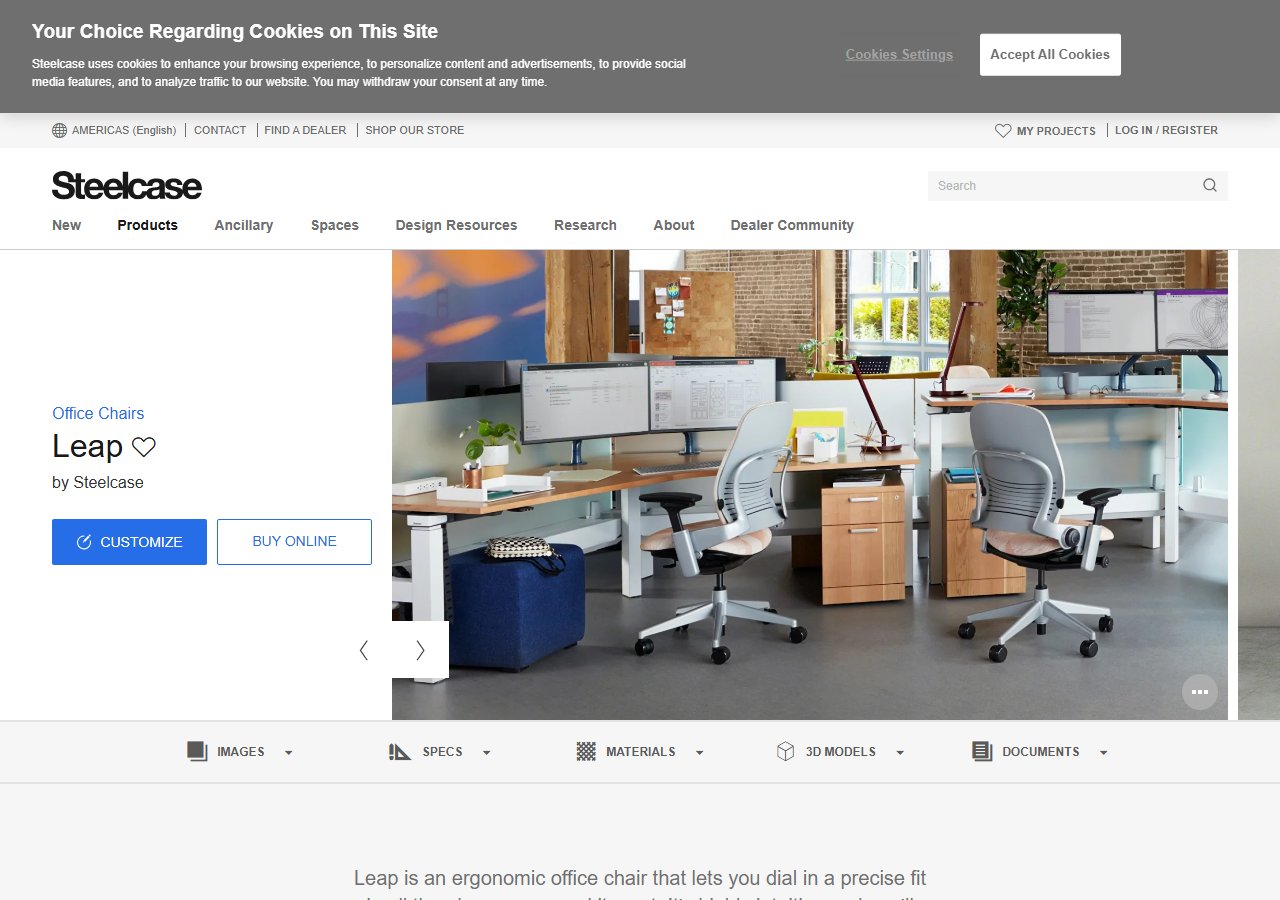
Steelcase Leap V2 Office Chair
$1,189
See Price at Steelcase →
Herman Miller Aeron Ergonomic Chair - Size B, Graphite Size B Graphite
$1,499.99
Check Price on Amazon →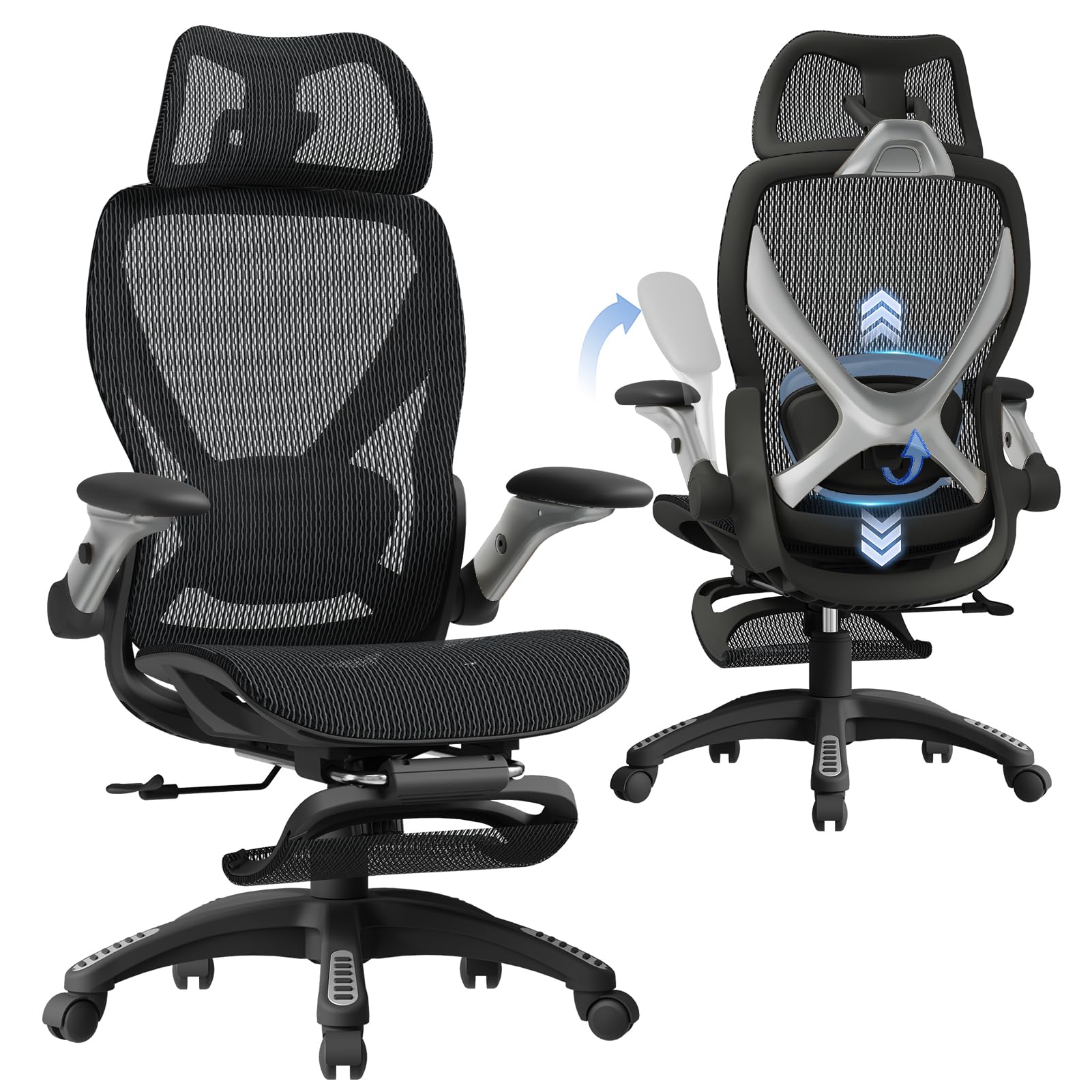
ELABEST X100 Ergonomic Mesh Office Chair with Footrest, Big and Tall Hone Des...
$319.99
Check Price on Amazon →Putting the hierarchy together
The federal data on office worker back pain describes a population-level problem with a layered solution. BLS occupational injury surveillance documents that the injury rates are real and that the workers' compensation costs are among the highest across all claim categories. OSHA and NIOSH guidance identifies the mechanism — prolonged static seated posture in awkward alignment — and specifies the interventions in order: posture setup, movement breaks, monitor position, and daily mobility work. NIH frames chair fit as a modifiable risk factor, which means it belongs in the solution set, not as the whole solution.
The reader who applies OSHA's chair-setup sequence, implements NIOSH-validated micro-breaks, addresses monitor height, and adds daily hip flexor and thoracic mobility work will address the majority of the mechanism regardless of chair quality. The reader who does all of that and still needs more lumbar support during the workday has a clear, evidence-supported path to the Steelcase Leap V2 as the primary recommendation, the Herman Miller Aeron as the widely available alternative, or the ELABEST X100 as the accessible entry point.
The back pain you feel at the end of a workday is not inevitable. The BLS and CDC data show it is common — but common and inevitable are not the same thing. The interventions exist. The hierarchy is clear. Start with what costs nothing.